Getting Started
In an era where data drives every decision but privacy concerns hold businesses back, uncovering insights quickly and securely is a constant challenge. Reveal is built for the modern enterprise—an AI-powered analytics platform that prioritizes privacy while connecting seamlessly to your existing data systems. With an intuitive chat interface, you can ask questions in plain English and instantly receive real-time visualizations, summaries, and actionable insights, empowering you to make smarter decisions while keeping your data completely secure.
Why Reveal?
- Access real-time insights and visualizations instantly through a simple chat interface.
- Leverage a privacy-focused LLM that provides secure, actionable insights from documents.
- Summarize and analyze documents and data within a fully protected environment.
- Empower self-service analytics while maintaining strict control over cost, performance, and data access.
The First Step
Getting started with Reveal is simple. Sign up for an account, choose an integration from the available list to connect your data sources, and create a new chat to begin exploring insights. The built-in guided tour walks new users through key features, ensuring smooth onboarding and easy navigation.
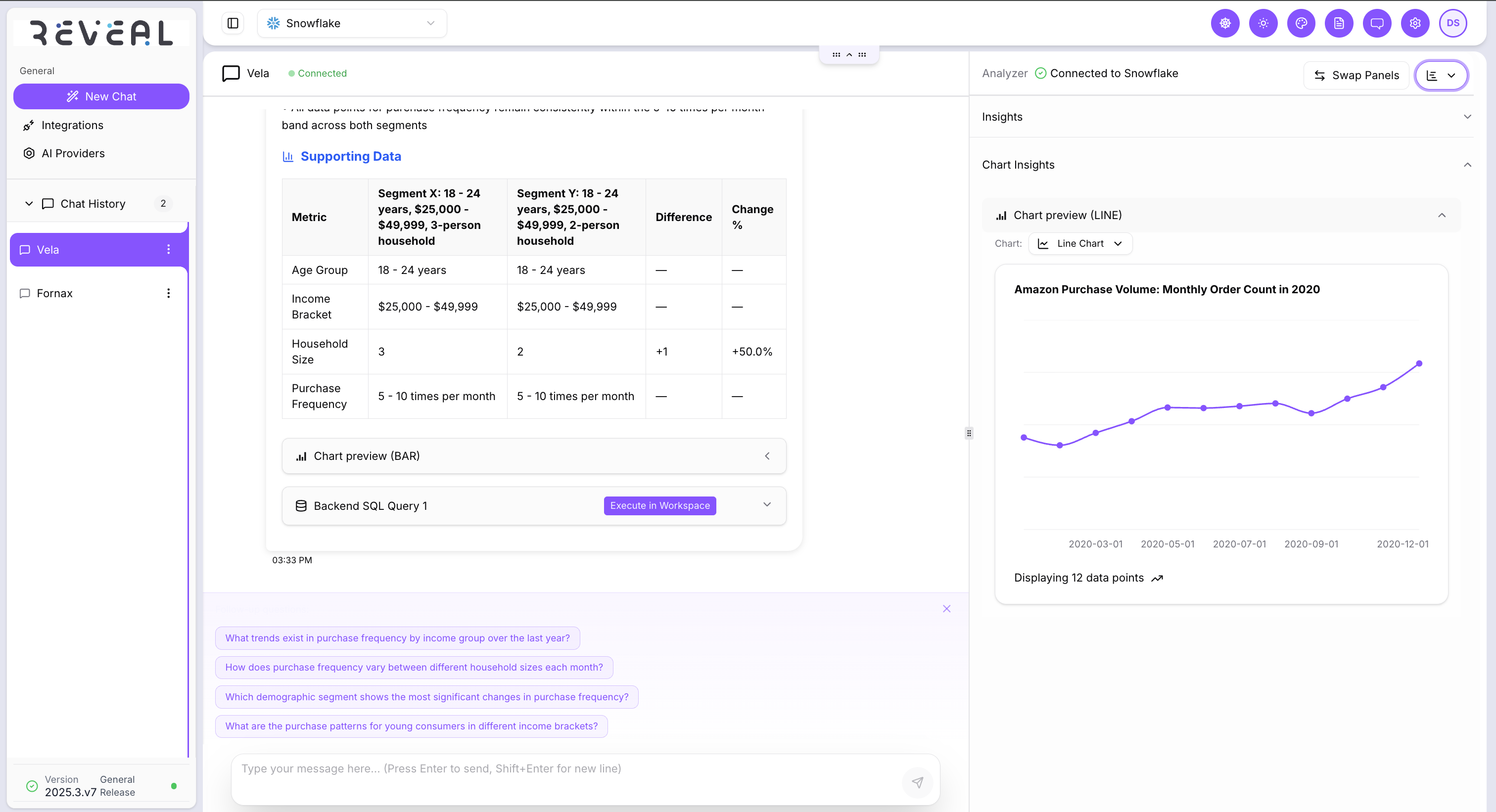
After signing in, you’ll land on the dashboard, which automatically opens your most recent chat session. From here, you can continue an existing conversation or start a new one with a different integration. The interface is organized into three key areas: the header, the side navigation bar, and the main chat section.
To return to the Reveal homepage at any time, click the Dashboard icon located next to the settings icon in the header.
Header
The header consists of the following:
- A dropdown menu to switch between stored integrations
- Customize color palette and interface theme settings
- Access user profile and platform settings
- Log out of the application
Side Navigation Pane
The left navigation bar provides quick access to:
- Creating new chat sessions
- Accessing and creating data integrations
- Viewing and configuring AI models
- Reviewing chat history
This ensures that users can easily move between key features without losing context.
Main Chat Section
The dashboard features a split-pane layout that brings chats and insights together in one cohesive view.
Left Pane (Chat Interface): Users can ask questions in plain English, interact with their selected data source, and receive structured responses.
Right Pane (Analyzer): Reveal displays insights, summaries, and visualizations in real time.
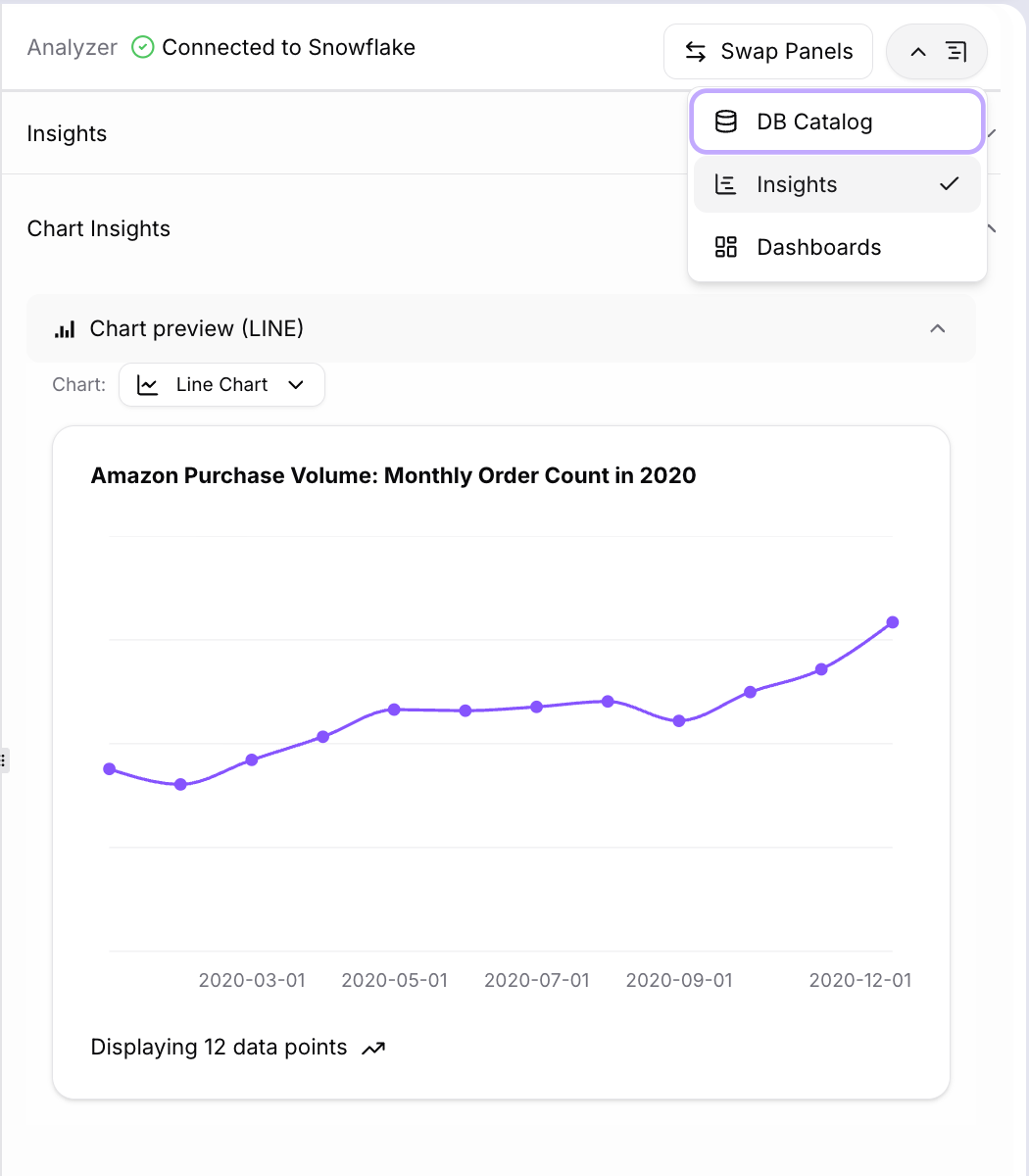
The Analyzer pane includes a dropdown that allows users to switch between:
- Database Catalog: View available data sources
- Insights: Review query results, visualizations, and summaries
- Dashboards: Access analytical dashboards and saved views
Reveal Components
Reveal’s interface is designed for efficiency and clarity, ensuring that users can move seamlessly between conversations, data sources, and visual outputs. With its intuitive layout and privacy-first design, Reveal helps teams uncover business insights quickly while maintaining complete control over their data.
The following are the key components available in Reveal:
- Chat
- Integrations
- AI Providers
- Personalization
- Prompt Configurations